
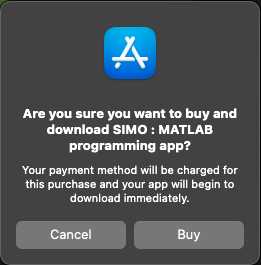
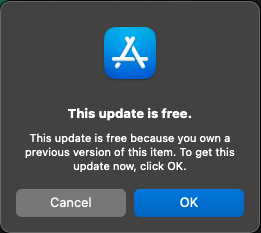
Frequently Asked QuestionsApple Silicon MacIs it free to download it from Mac App Store on Apple Silicon Macs?
It is a free download from Mac App Store, if you have already bought the app on iOS App Store.
CompatibilityWhat MATLAB functions does SIMO have?
SIMO supports the most commonly used language syntax and functions. If you do not need specialised functions, it will probably satisfy your need. You are strongly recommended to check out our free app Console. It shares the same MATLAB interpreter with SIMO. If you find Console useful, SIMO will definitely work for you. Moreover, Console comes with the full set of documentation. You can check out the list of supported functions.
Can my existing MATLAB code run in SIMO?
Your MATLAB code will run perfectly in SIMO, unless it uses functions that are not yet included in SIMO. You are strongly recommended to check out our free app Console. It shares the same MATLAB interpreter with SIMO. If your code runs in Console, it will run in SIMO.
Does SIMO have a limit of the array size?
No, there is no limit. You can create as many arrays as you need, and there is no limit on array size whatsoever. However, SIMO may crash when it cannot get enough memory from the operating system, although it rarely happens for average use. If you experience crashing, you may want to refactor your code to use fewer variables.
Syncing FilesCan I sync files between my iOS devices?
Yes. If you enable iCloud sync in SIMO, all files will be synced across your iCloud-connected devices and computers instantly.
Can I run SIMO files on my computers using MATLAB?
Yes, if your files in SIMO are synced to iCloud. In MATLAB, simply set the path to "/Users/[Your username]/Library/Mobile Documents/iCloud~numerical~simo/Documents". Any change you've made on your computer will be synced to your iCloud-connected devices instantly.
Can I sync files between SIMO and my computers?
Yes, if your files in SIMO are synced to iCloud. Your SIMO files can be found in your computer in the folder "/Users/[Your username]/Library/Mobile Documents/iCloud~numerical~simo/Documents".
What cloud services does SIMO support?
SIMO uses iCloud to sync your files across devices. It also supports file import and export with major cloud services, such as Dropbox, Google Drive, Box, and OneDrive.
Still Have Questions? |
|
|
|